
.svg)
.svg)
ONESHIELD MARKET SOLUTIONS / PORTALS
Portals that let agents and policyholders help themselves

OneShield Market Solutions (OMS) gives agents, policyholders, and outside parties secure portal access to the policies, payments, and claims that belong to them. The portals run on OMS itself, so every quote, payment, and claim follows your rules and lands in the same record your team works from.
The Cost of Routine Service Requests
Agents submit, quote, and issue within the rules you set
Policyholders pay, download documents, and report claims on their own schedule
Every portal transaction recorded in OMS, not in a separate system to reconcile
Answers and routine changes at any hour through the B2C AI-Powered Chat Assistant
Access for Everyone Outside Your Team
Each portal user gets role-based access to the work that belongs to them, set by the security profiles you control.

Agents and Brokers
Submit new business and renewals, quote, and issue policies against the same rules and rating your underwriters use. Policy, billing, and claims data is there without a call to your team.

Program Administrators
Delegated authority partners can be given full rate, quote, bind, and issue. Portal-specific rules keep the business you want reviewed in front of your underwriters.

Policyholders
View policies, documents, and invoices, make payments, report claims, and request certificates of insurance. Every workflow is mobile responsive.

Claims and Legal Parties
Defense counsel, independent adjusters, TPAs, and carrier auditors can be given configured access. What each one sees is set by their security profile.
Core Capabilities Inside OMS Portals
Agent Portal
Agents quote and issue on the same rules your underwriters use
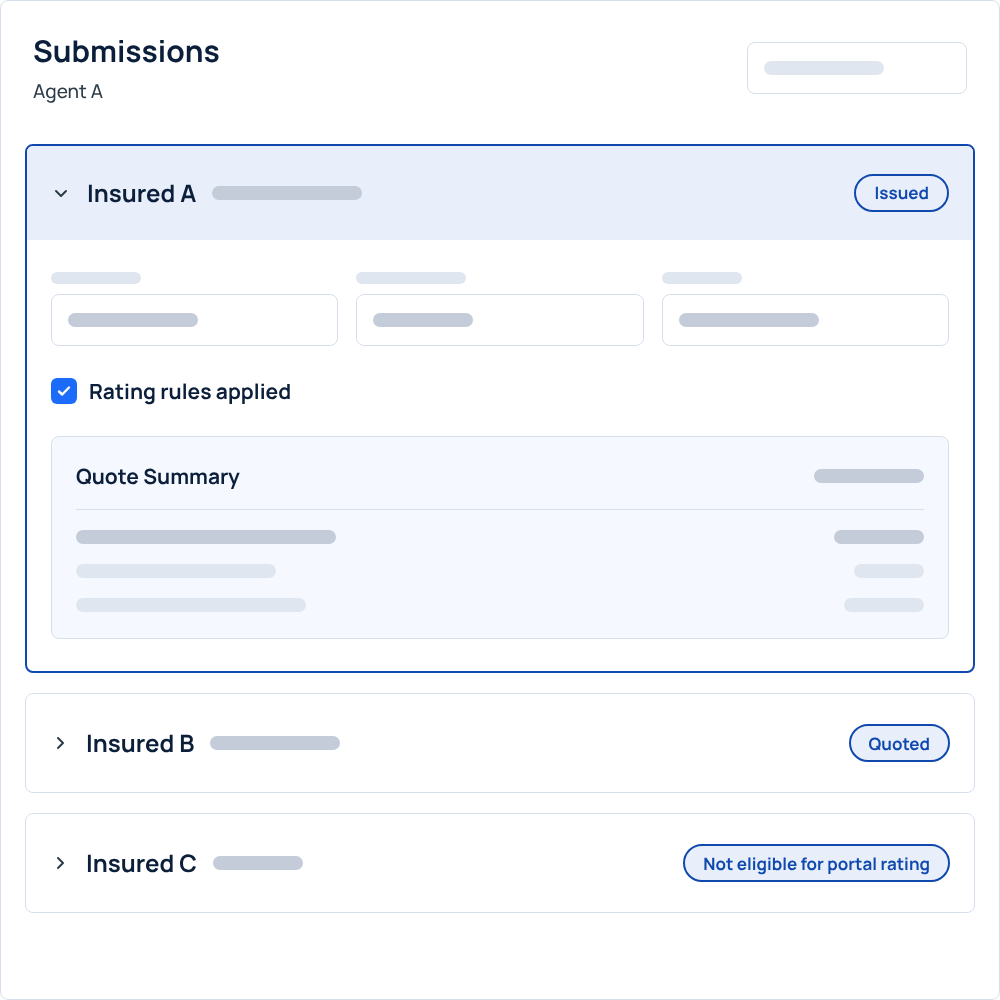
The agent portal gives each agent role-based access to submissions, quotes, and policies. Because it runs on OMS, every system rule and rating algorithm carries into the portal, and you can add portal-specific rules on top.
Key features:
.svg)
New business and renewal submissions from the portal
Quoting and policy issuance, with full rate, quote, bind, and issue for delegated authority
Access to policy, billing, and claims data, scoped by role
Portal-specific rules, such as business that is ineligible for portal rating
Policyholder Portal
Routine policy service without a phone call or email
Policyholders sign in to view policies, documents, and invoices, pay bills, and request certificates of insurance. Where your rules allow it, they can also start endorsements and renewals, or quote, bind, and buy a policy straight through.
Key features:
View policies, policy documents, and invoices
Payments, including claim deductible payments, through your payment provider
Certificate of insurance requests
Endorsement and renewal initiation
Straight-through quote, bind, and issue where your rules allow

Claims Reporting
Claims reported from any device, straight into OMS
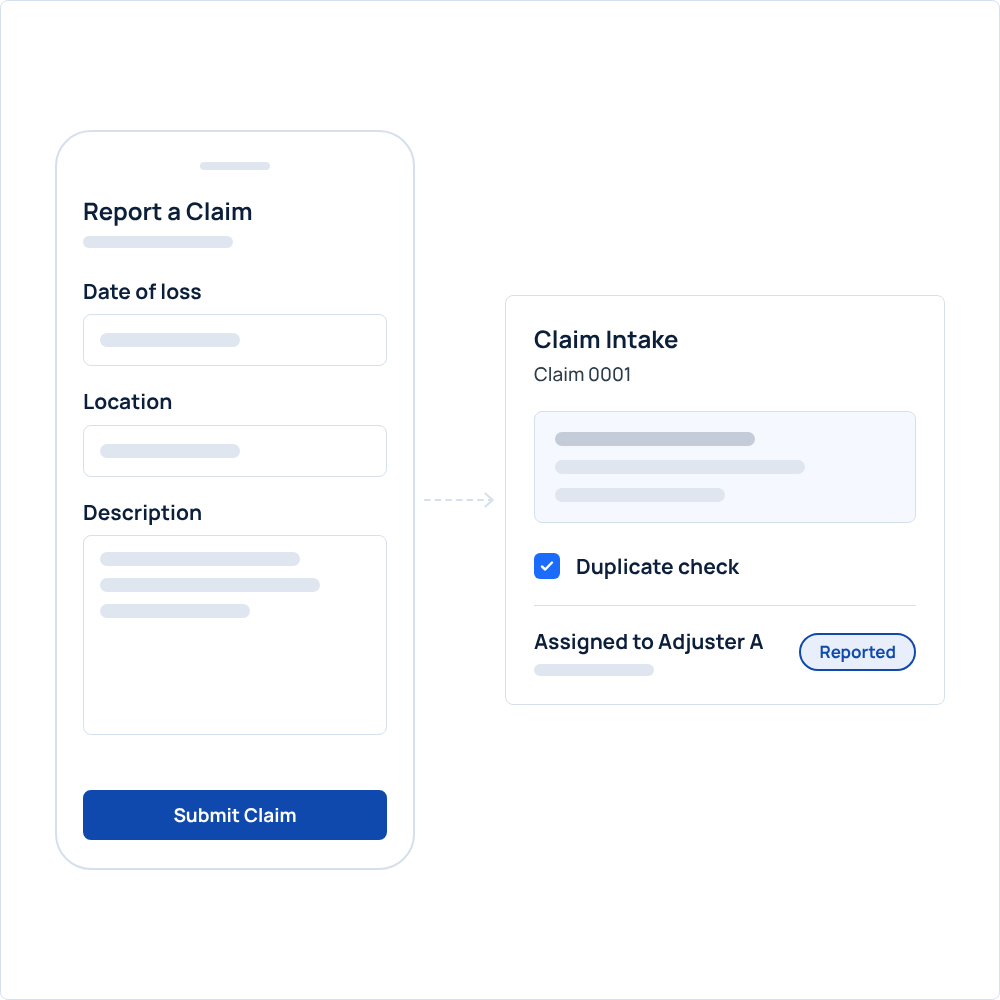
Policyholders report a claim (FNOL) through the portal from a phone, tablet, or computer, then view its details without calling. Each claim goes into the same OMS claims module your adjusters work in and follows your assignment rules from the start.
Key features:
FNOL from the portal on phones, tablets, and computers
Claim details the policyholder can view after reporting
Duplicate claim checks on intake
Automatic assignment to adjusters using the rules you define
B2C AI-Powered Chat Assistant
Policyholders ask, change, and pay in one conversation
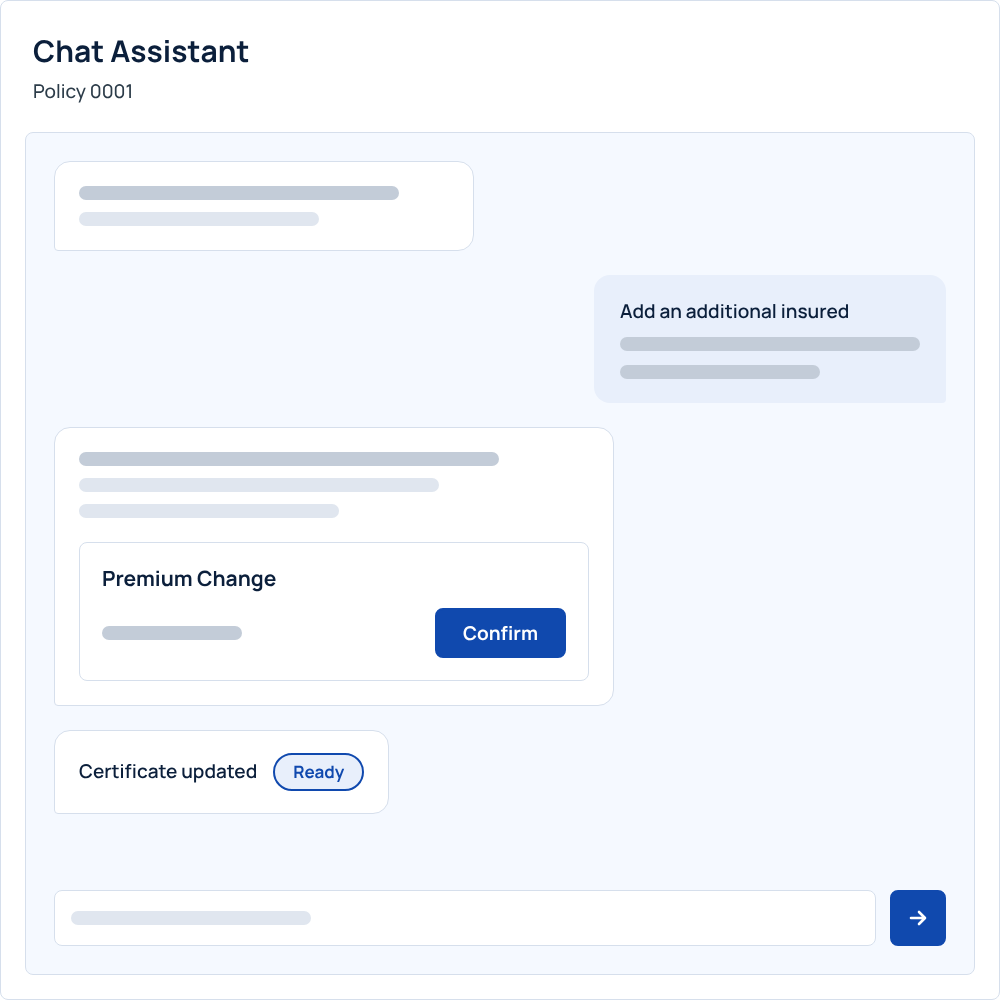
The B2C AI-Powered Chat Assistant answers policy, billing, and claims questions in plain language, 24/7, and completes endorsements, payments, and certificate requests in the same conversation. Anything that needs a specialist goes to your underwriting or service teams. OneShield switches it on only with your consent.
Key features:
Endorsements, payments, and certificates of insurance handled in the chat
Real-time premium impact for requested policy changes
Answers based on the policyholder's own policy data
Follow-up questions kept in context, with preset topics for common questions
Separate Azure AI resources for each client, with every interaction logged
Configuration and Security
Portals that carry your brand and your access rules
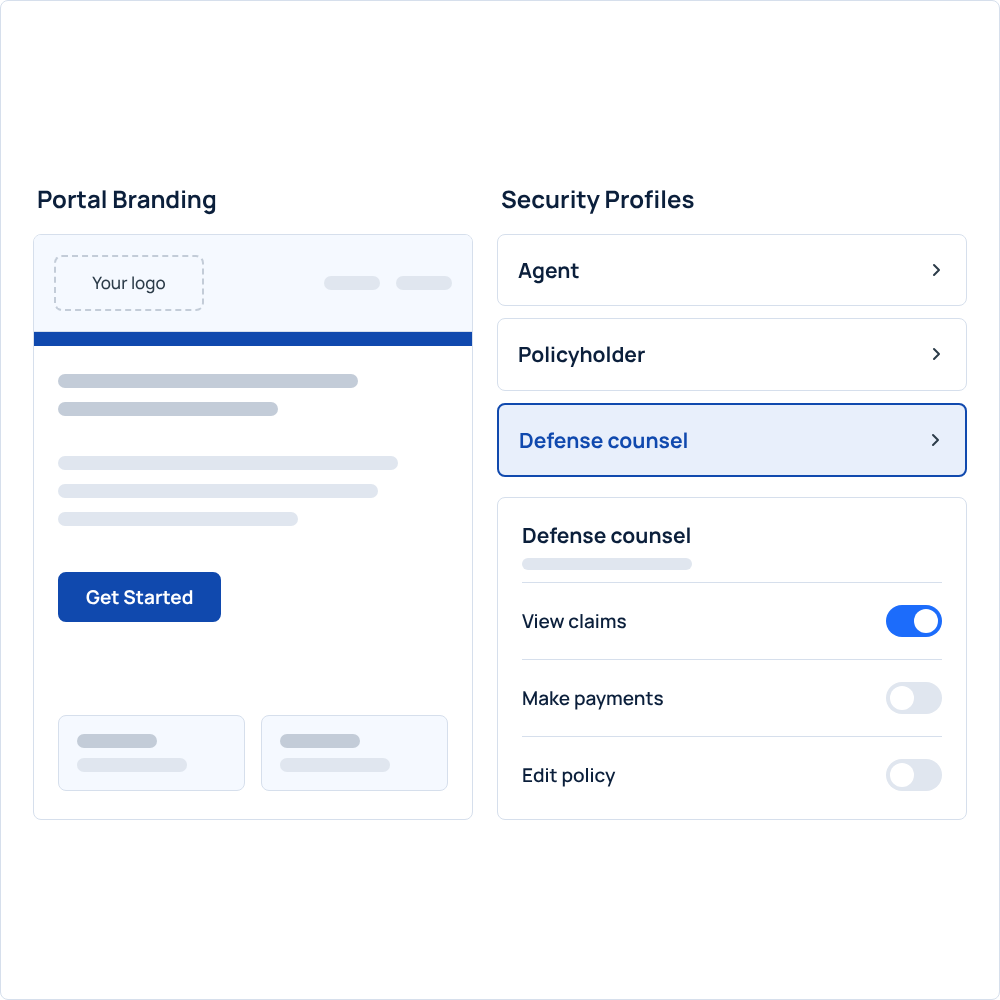
Portal layout, static content, and stylesheet are configurable, and OMS supports white-labeled portals for carriers and program administrators. Security profiles control what every external user can see and do.
Key features:
Configurable layout, static content, and stylesheet
White-labeled portals for carriers and program administrators
Role-based security profiles for internal and external users
Configured access for defense counsel, independent adjusters, TPAs, and auditors
All traffic encrypted over HTTPS with TLS 1.2
Transparent, Predictable Pricing
No large upfront implementation fees
Annual service hours for configuration, enhancements, and support
Monthly upgrades and enhancements included
Cloud hosting infrastructure and security included
See OMS Portals in Action
See how the agent portal, policyholder portal, and B2C AI-Powered Chat Assistant would work with your programs, rules, and rating.
.svg)
.svg)